






FAQ - Frequently Asked Questions
Frequently asked questions and answers about online training:
First, you must register with your email address and will receive an access code via email. Then, log in to your account using the Login/Account Management section and your login credentials. Here, you can book the training course that suits you from your training management section.
You will find the login credentials for your training in your account under “Booked Training” along with the invitation PDF. To start this training, log in at https://moodle.bav-onlineschulung.de/ using these credentials.
Go to “Register” and choose whether you want to sign up as an individual or as a company. If you sign up as a company, you’ll be able to manage training sessions for multiple people.


Fill out the fields.
Once your information has been successfully saved, you will receive an email with your login credentials. If you cannot find this email in your inbox, please check your spam folder. This registration is a one-time process.
Note: A registered email address cannot be easily changed and can only be used once.
Please use your “Account” for subsequent training bookings.
Log in to your account using your email address and the password sent to you under "My Account."


After logging into your account, you can book a training session directly. Fill out the fields and select the payment method. You can find the booked training session with the participant’s name and the corresponding access details under Training Management (see the FAQ section “Where can I find the access details…”).
Go to your account (your registration) using your email address and the password sent to you under Login/Account Management. Then select “Book multiple training courses” from the Training Management section. Use the template in Excel format and download the spreadsheet to your computer. Replace and fill in the spreadsheet with the names of your employees and your account email address. If you do not select a language code (14 different languages are available), German will be selected automatically.
Important: Please change only the sample names; do not insert or delete any columns or rows!
Select the desired training course and upload your participant data. The payment function will then appear, and you can choose from several payment options (see below). Please have your account details ready.
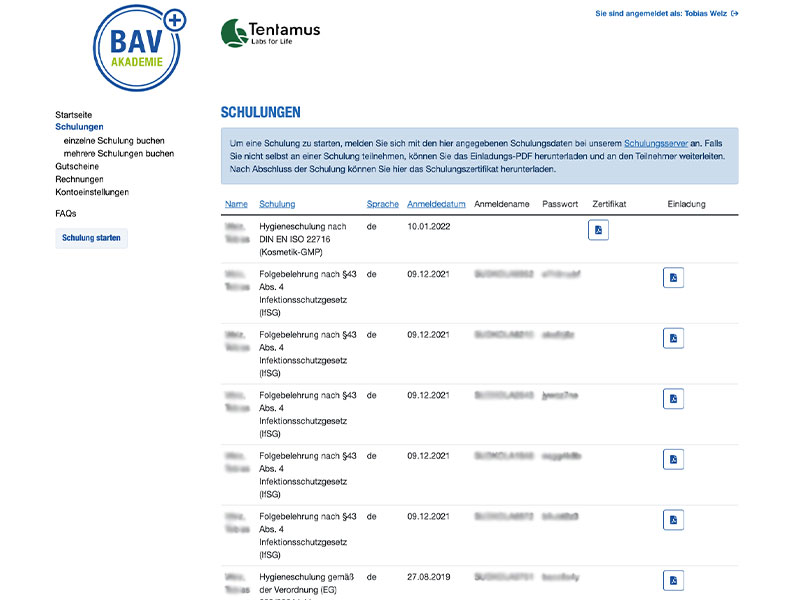
The employee names with their individual login credentials/passwords will automatically appear in your training management under “Training” along with the corresponding PDF file.
The employee enters these personal passwords under “Start Training” and can begin the training.
The training participant logs in to our training portal under “Start Training” using their individual username and password and can begin the training immediately.

You can find the individual usernames and passwords in your account under “Training” next to each name. An invitation PDF containing all necessary information is available for download there.
You can pause your training at any time and continue later.
Yes, that is possible. At the start of the training or even during the training, you can click on “Language” in the top right corner and choose from 14 languages.

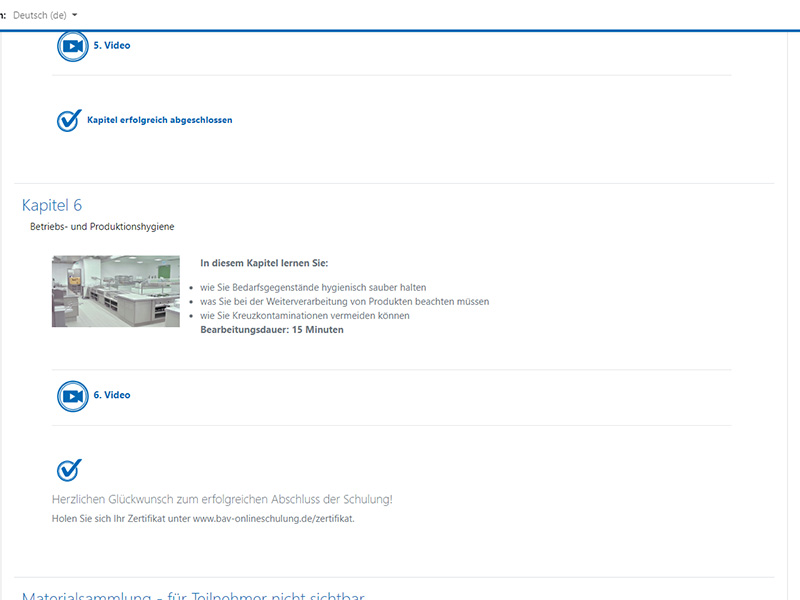
After successfully completing your training, the certificate will be generated and can be downloaded after a few minutes at bav-onlineschulung.de/zertifikat. Please have your individual username and the training password ready. The certificate is located in your training management section of your account and remains permanently stored there.
The hygiene training should be repeated every year in accordance with DIN 10514.
The follow-up training pursuant to Section 43 of the Infection Protection Act must be repeated every 2 years.
You can also pay by invoice via the payment service provider Klarna.
Our payment methods:


Do you have any questions?
Just give us a call at 0781 96947-0
or send us an email at
karin.heinrich@bav-institut.de